

Sharing is included in some plans only. Share via email is a separate plan feature.
Ways to share
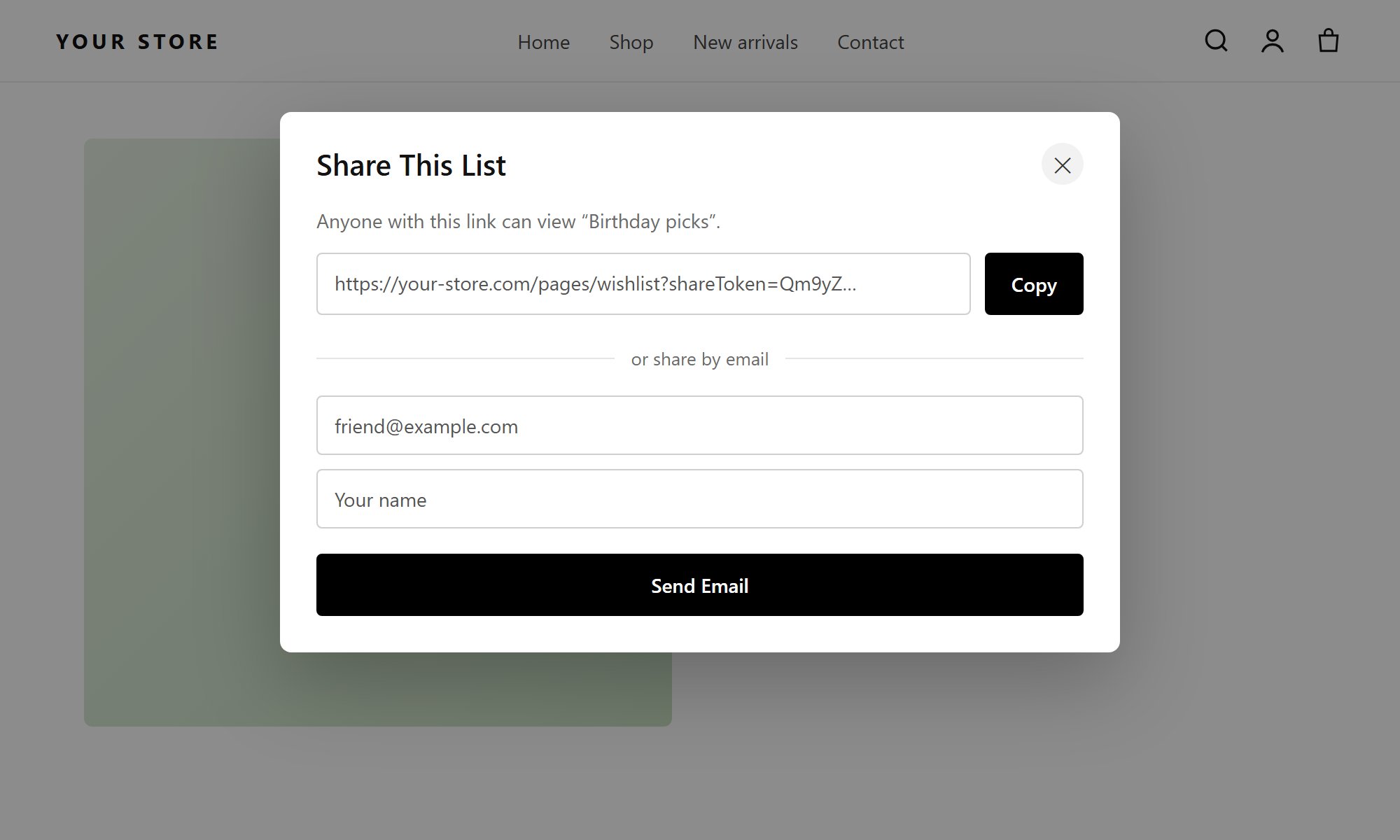
The share popup: copy a link, or send the list by email
Share link
The shopper copies a link and sends it anywhere. Anyone with the link can view the list. The owner can turn a link off at any time.
Share by email
The shopper enters a friend’s email address. The app sends them the Share Wishlist email with a private link that only works for that recipient.
What the recipient can do
- See the products in the list, as they were when it was shared.
- Add products to their cart.
- Save to my wishlist: copy the list into their own wishlists.
- Find it later in Shared Wishlists → Shared with me on the wishlist page and in their customer account.
What the owner can do
On the wishlist page, the Shared by me tab lists everything the shopper has shared. From there they can:- see who has saved their list;
- change a share;
- stop sharing: the link or email share stops working at once.
Public and private lists
Each wishlist has a public/private switch on its detail view. Private is the default.Settings
Under Manage Wishlist → Wishlist Page:
Edit the share email under Wishlist Settings → Email Templates → Share Wishlist. To send it from your own address, see Email settings.
The Shared Wishlist page toggle under Insights → Wishlist Settings must be activated for recipients to open shared lists.