

Requires a plan that includes Shopify Flow Automations, and the free Shopify Flow app installed on your store.
Trigger: Item Added To Wishlist
Fires when a logged-in shopper adds a product to a wishlist. Guest activity does not fire it, because Flow needs a customer.Ready-made template
Alert sales team when a shopper adds a high value product to their wishlist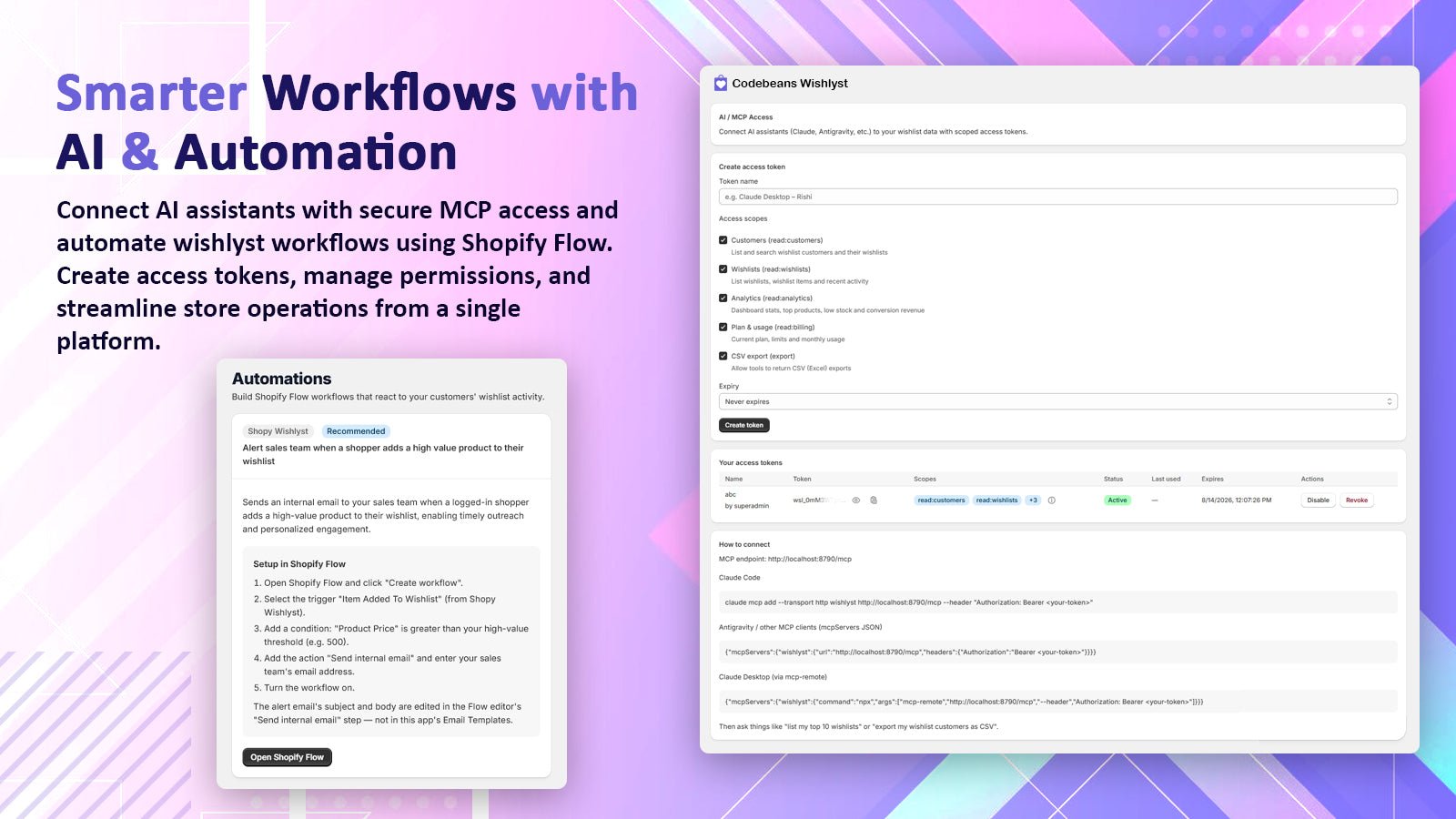
The Automations page with the ready-made Flow template (left)
1
Open the template
In Codebeans Wishlyst, go to Automations and click Open Shopify Flow on the template card. You can also find it in Flow’s template library by searching for “wishlist”.
2
Set the threshold
The condition checks
Product Price >= 200. Change it to whatever counts as high value in your store.3
Add your team's email
In the Send internal email action, enter the address that should receive the alert. You can edit the subject and body there too. They are not part of the app’s email templates.
4
Turn the workflow on
Workflow ideas
Tag customers who wishlist a product
Tag customers who wishlist a product
Trigger: Item Added To Wishlist → Action: Add customer tags
wishlist-user. Then build a customer segment or a Shopify Email audience from the tag.Track interest in a collection
Track interest in a collection
Condition: product’s collections include “New arrivals” → Action: add tag
interested-new-arrivals.Notify a Slack channel
Notify a Slack channel
Action: Slack → Send message, with
Product Title, Product Price and the customer’s name.